RESEARCH & PRACTICE
Usability is more than making a product easy to use. It’s about helping people succeed efficiently, recover from mistakes, and understand what to do without unnecessary friction.
Picture this. You walk up to a glass door. There's a handle, the universal signal to pull. You pull. Nothing happens. You pull harder. Still nothing. Someone behind you reaches past and pushes it open without breaking stride.
For a split second, you feel stupid.
But here's the thing: you're not. The door is wrong. It has a handle, a pull affordance on a door that only pushes. The design failed you, and then made you feel like the failure.

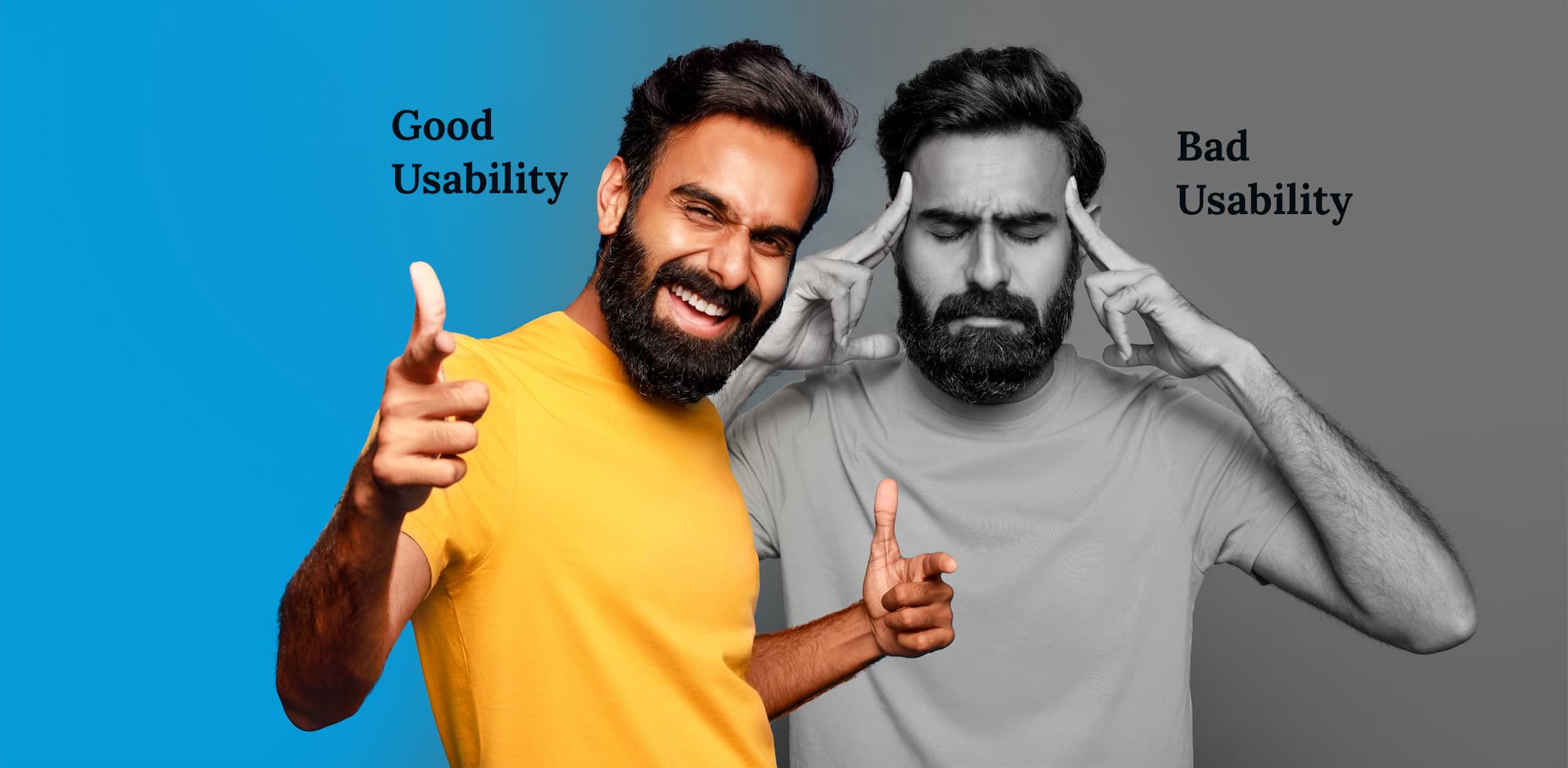
That moment, that quiet flash of frustration and misplaced embarrassment, is exactly what bad usability feels like. Scale it to millions of users clicking through a confusing interface, trying to find something they can't locate, filling out a form that won't explain what they did wrong, and you start to understand what's actually at stake.
None of those are aesthetic failures. All of them are usability failures.
THE CORE CONCEPT
WHITNEY QUESENBERY'S FRAMEWORK
In 2001, UX expert Whitney Quesenbery defined five criteria for usability, known as the 5 E's. They've held up for over two decades because they're not about technology. They're about people.
The designer's job is not to eliminate all cognitive effort, that's impossible, and a completely effortless interface would be meaningless. Job is to eliminate extraneous effort. Protect your users' finite mental resources so they can spend them on things that actually matter.
Effectiveness : Did the user actually succeed?
Effectiveness isn't about whether the user clicked something. It's about whether they accomplished what they came to do accurately, without cleaning up a mess afterward.
Think about the last time you filled out a long form, hit submit, and got a vague red error with no useful explanation. You fixed one thing. Submitted again. Another error. You still didn't know what the original problem was. That's an effectiveness failure and it's one of the most common, most preventable usability problems in digital products.
Effective design catches errors before they happen. It constrains inputs to valid options. It uses language clear enough that a user never has to pause and decode what's being asked. It makes the path to success obvious enough that users don't take wrong turns.
Walk through your product's core flow and ask: where could a user make an error without knowing they've made one? Those are the spots where your design needs to do more work.
Efficiency : Is the cost worth it?
Your users are spending something every time they interact with your product: time, attention, effort. Efficiency is about whether what you're asking of them is proportionate to what they're trying to get done.
Every unnecessary step is a small tax. Every label that makes someone pause is a small tax. Every screen that could have been folded into the previous one is a small tax. Individually, these feel trivial. Across thousands of users and hundreds of sessions, they compound into a feeling that the product is somehow exhausting to use even if users can't pinpoint exactly why.
Think about Ctrl+C and Ctrl+V. Nobody announced those as features. They quietly saved the world an incalculable number of hours and became invisible muscle memory. The best efficiency improvements are always the ones that disappear.
Map your most common user flow and count the steps. Then ask: what would have to be true for this step to not exist? You'll find more to cut than you expect.
Engagement : Looking right, not just looking nice
Engagement is probably the most misunderstood of the five. It's not about visual polish. It's about whether the experience feels appropriate for the person having it.
Wikipedia is famously, almost aggressively, plain. No hero images, no animations, no brand moments. And yet it's one of the most visited websites on earth because its structure serves the reader perfectly. Information hierarchy makes sense. Ideas are linked in ways that invite exploration. You can find what you need and read it without friction.
That's engaging. Not because it looks nice, but because it works for the person using it. Aesthetics matter they signal quality, care, and trust but they're not the whole story. A beautifully designed product with confusing navigation isn't engaging. It's frustrating with good typography.
Ask someone outside your team to use your product and describe how it feels, not what works or doesn't, but the emotional experience. The vocabulary they reach for will tell you more than a usability test.
Error Tolerance : Designing for the user who surprises you
Find the three most common errors in your product and redesign each one twice, once to prevent it, once to make recovery feel effortless.
The goal isn't a product someone can figure out once. It's a product someone uses naturally, without thinking, session after session, because it has become second nature.
The fastest path to learnability is designing around mental models your users already have. A virtual button that looks like a physical button requires zero learning curve, users already know how buttons work. You're borrowing knowledge they built years ago and putting it to use in your interface. That's not a lack of imagination. That's efficiency of learning.
Where this gets genuinely hard is updates. Every time you ship something new, familiar users have to re-learn something they already had mapped in their heads. Facebook's 2012 Timeline redesign is the definitive case study: months of advance warning, an objectively improved format, and still a wall of backlash. Because the cost of breaking a learned behavior is always higher than it looks from the inside.
Before shipping any redesign, identify every interaction pattern that's changing and ask: what do users currently expect here, and how do we bridge from that expectation to the new behavior?
THE MISSING PIECE
There's one thing the 5 E's don't explicitly cover, but that belongs in any honest conversation about usability: utility.
Usability answers: can they use it? Utility answers: do they need it? Both have to be true for a product to be genuinely useful.
You can build the most efficient, error-tolerant, beautifully learnable feature in the world, and if nobody needed that feature, you've wasted your effort and your users' attention. The best usability work often isn't making something easier to use. It's making the call that the thing shouldn't exist at all.
THE TAKEAWAY
Every design decision you make is a statement about how much you trust your users.
When you write a vague error message, you're telling them their time isn't worth a clear explanation. When you add a step that could be removed, you're telling them your convenience matters more than theirs. When you break a convention for the sake of originality, you're telling them your aesthetic preferences outweigh their learned instincts.
And when you get usability right, when the flow is clear, the errors are forgiving, the language speaks plainly, and the path to success is obvious, users don't notice. They just walk through.
That's exactly the point. Good usability is invisible. Like a door that opens the moment you push it, exactly the way you expected, without a second thought. You never remember those doors. But you remember every single one that made you feel stupid.
Design the door people forget.
Written by